How to set up tags in Trip Tick
Tags are what turn a long list of places into something organised — group your birding by patch, reserve, county or country, however makes sense for the way you bird.
What tags do
A tag is simply a label you attach to a location — a patch, a county, a type of site, or any grouping of your own choosing. Once tagged, Trip Tick can total your sightings by that label, so you can see, for example, everything you’ve recorded across all your local patches combined, or a single reserve at a glance.
Create your tags first
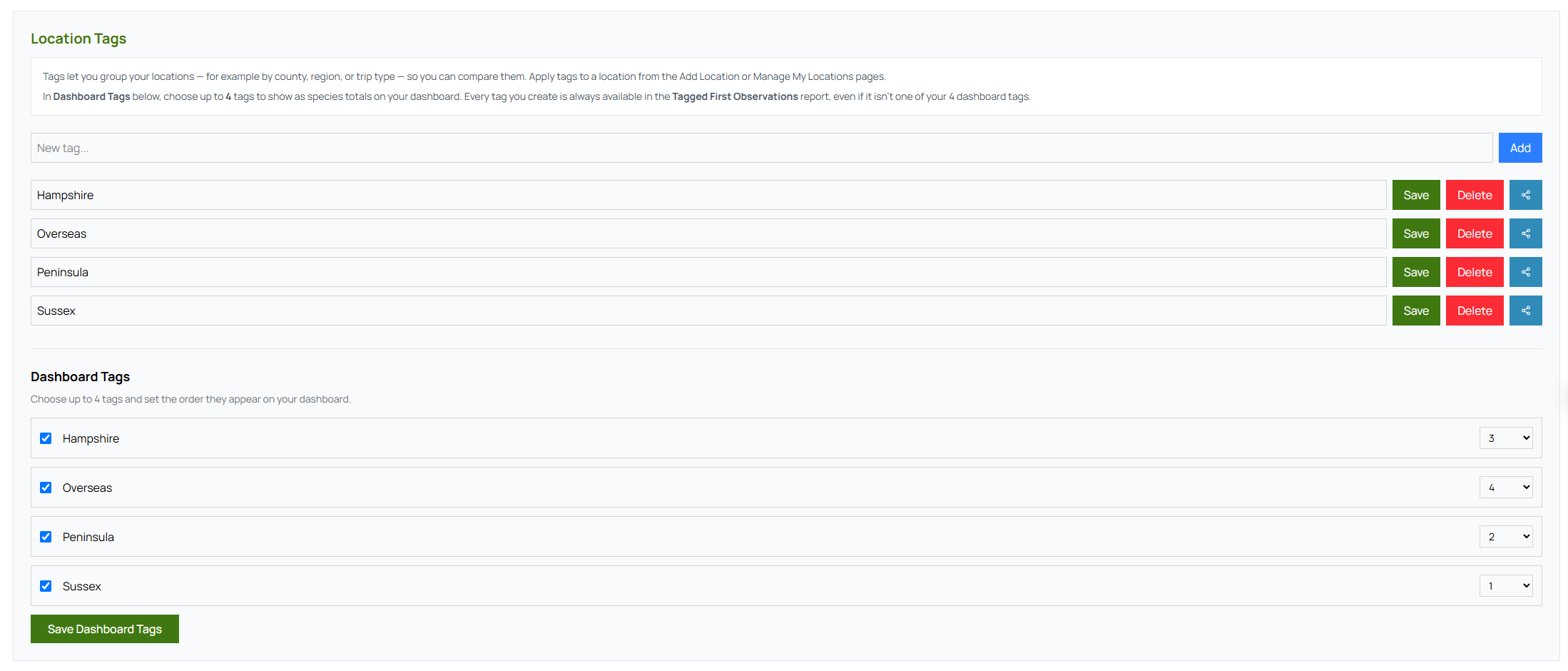
Tags are your own labels — there’s no fixed list to choose from. Open Profile & Settings and, under Location Tags, add a tag for each grouping you care about: “Local patch”, “Norfolk”, “Reserves”, or whatever suits the way you bird. You can rename or delete them here at any time.
Apply tags to your locations
When you add a location — from a trip or the Add Location page — tick any tags that apply in the Tags section. A single location can carry more than one tag, like a reserve that’s also your local patch. To change them later, open the location from Manage My Locations and edit its tags.
See your tags in action
Once you’ve tagged a handful of locations, open the Tagged First Observations report to see your list broken down by tag — your patch list on its own, or every reserve you’ve birded, separate from single-visit sites. You can also pick up to four tags in Profile & Settings to show as live species totals right on your Dashboard.
A few ways birders use tags
- Patch listers tag their regular local sites so their patch list stays separate from one-off trips.
- Travelling birders tag by country to keep a clean world list alongside their UK totals.
- Reserve visitors tag by reserve name to compare how each site performs across the year.
Tags take a moment to set up and make every list and report more useful.
Open Trip Tick →