How to record a trip in Trip Tick
Every list starts with a trip: one visit to one place on one day, whether that’s an hour on your local patch or a day at a reserve. Here’s exactly how to record one in Trip Tick, from the moment you arrive at a site to the moment you head home.
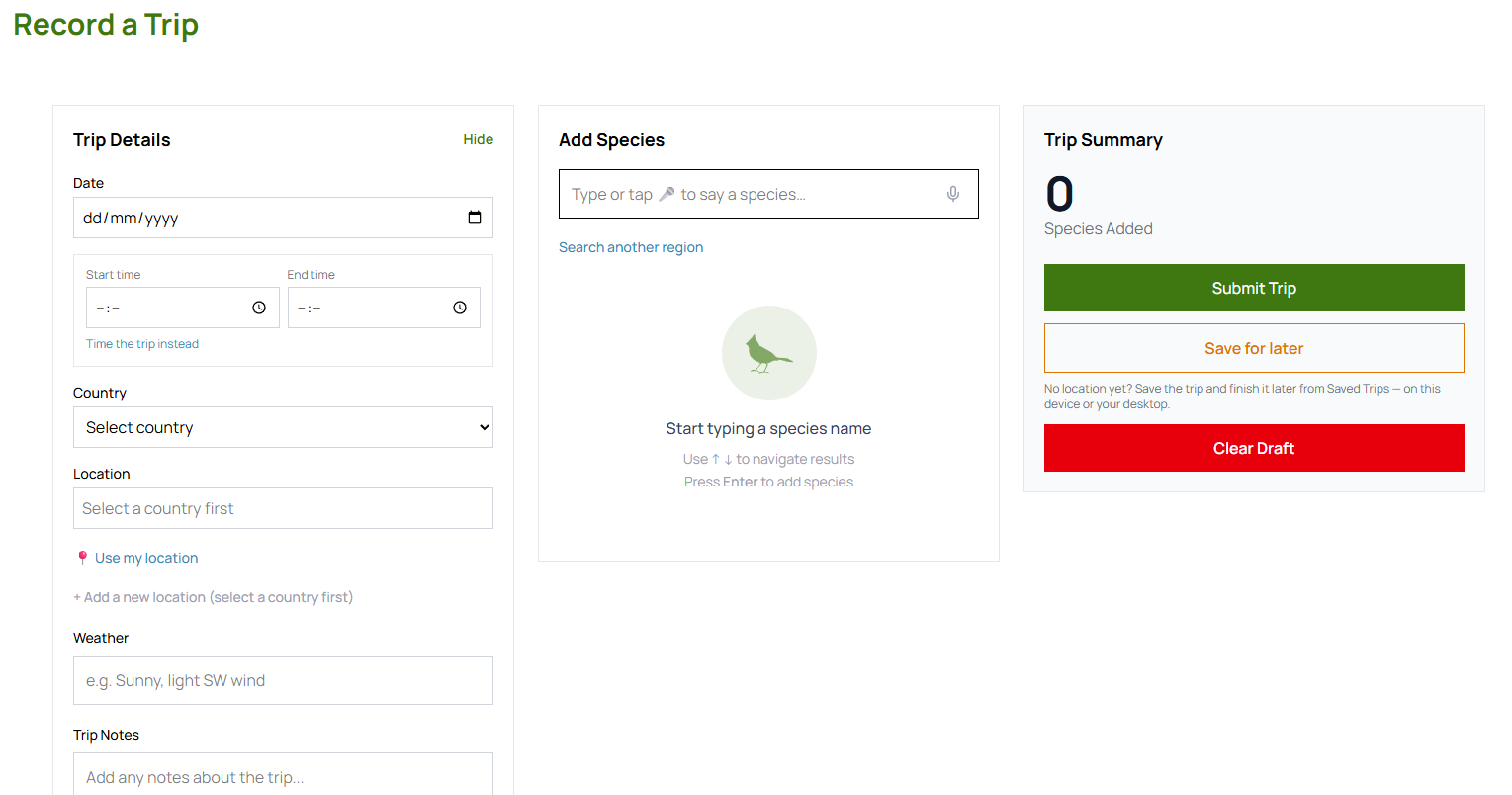
Start a new trip
Open Trip Tick and go to Record a Trip in the menu (under Trips). Pick the date, choose the country, then select the location you’re birding at — or tap + Add a new location to create one on the spot. If you want to time your visit, tap Start Time to start the optional trip timer, and add the weather or any trip notes while you’re here.
Log sightings as you go
In the Add Species box, start typing the species name. Trip Tick’s search narrows as you type — use the arrow keys and press Enter, or tap a result, to add it. Each species starts with a count of one; adjust it with the + / − buttons, mark it Heard Only if you didn’t get eyes on it, and tap the pin icon to record exactly where you saw it. Anything notable about the outing can go in the Trip Notes.
Don’t worry about signal
If you’re somewhere remote, keep logging exactly as normal. Trip Tick records everything on your device and syncs the moment you’re back in range — you never need to remember details later or scribble them on paper as a backup.
Finish the trip
When you’re done, tap Submit Trip in the Trip Summary. If you started the timer, tap End Time first. Trip Tick adds your species straight to your life list, your location totals and your yearly tally — no extra data entry required. Not ready to finish? Tap Save for later and pick the trip back up from Saved Trips on any device. Once submitted, the trip stays in My Trips so you can look back on it or adjust a count later.
Tips for faster logging
- Pre-tag your regular patches. If you bird the same few places often, add them as locations in advance so starting a trip takes one tap.
- Use counts loosely. An estimated count is far more useful for your reports later than no count at all.
- Log as you go, not after. The more sightings you log in the moment, the more accurate your list — and the less you rely on memory at the end of a long day.
It takes less than a minute to get set up — no card required.
Open Trip Tick →