How to add a location or patch in Trip Tick
Whether it’s your local patch, a nature reserve, or somewhere you’re visiting once on holiday, tagging a location properly is what makes your per-place totals mean something.
Why locations matter
Tag the places you bird and Trip Tick keeps a running total for each one automatically — species seen there, trips logged, and how your numbers build over time. It’s the difference between a flat list of sightings and a proper picture of your birding across every patch, reserve and country you visit.
Add a location from a trip
The easiest way to add a location is right when you need it: while recording a trip, choose the country, then tap + Add a new location instead of picking an existing one. Give it a clear, specific name — “Fen Hide, Lower Marsh” is more useful long-term than just “Marsh” — and Trip Tick will save it for every future visit.
Add a location ahead of time
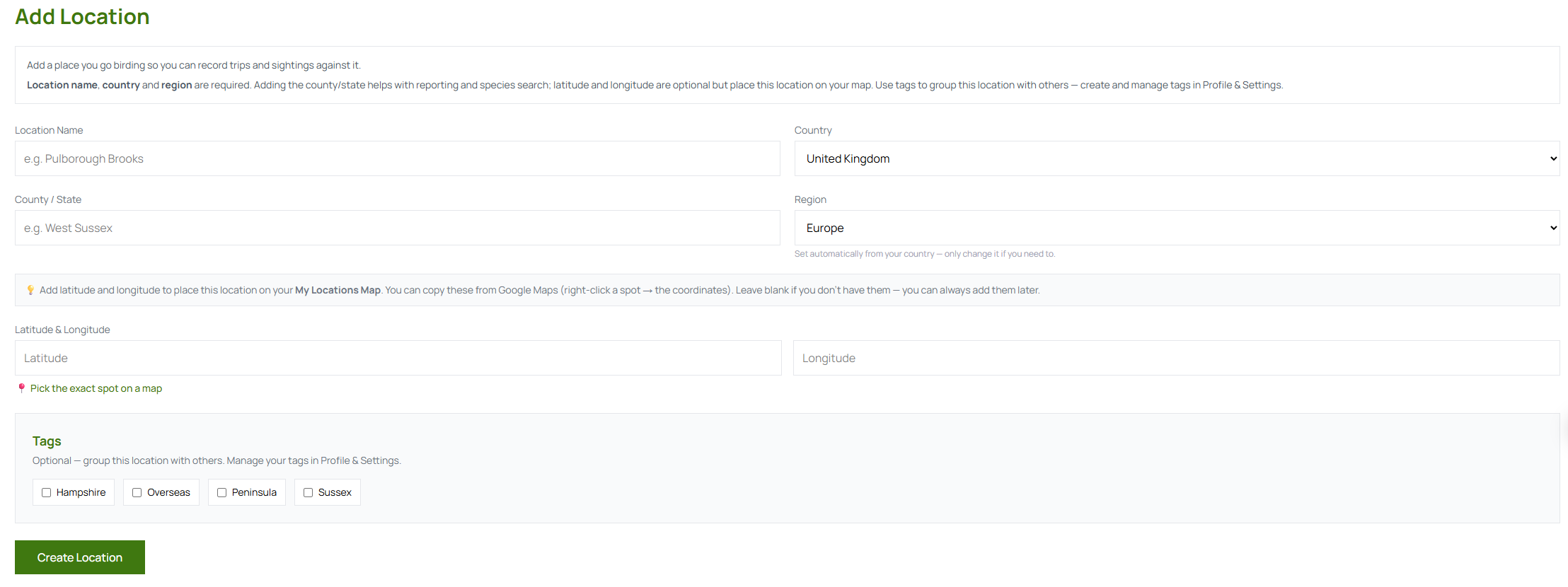
If you’d rather set your regular spots up in advance, open Add Location under Locations in the menu. Name, country and region are required; the county/state and map coordinates are optional but help your reports and place the location on your map. It’s worth doing for anywhere you bird often — your local patch, a nearby reserve, a regular holiday spot — so starting a trip there later is a couple of taps.
Group locations sensibly
Where it’s useful, group nearby sites under a shared name — a large reserve with several hides, for example — so your totals reflect the place as a whole, not fragments of it. If you’d rather keep sites separate but still see them together, give them a shared tag instead (set up in Profile & Settings).
What you get in return
- Per-location totals that update automatically every time you log a trip there.
- Faster trip logging — pick a saved location in one tap instead of typing details each visit.
- Better reports — your top locations, most-visited patches and country totals all build directly from the locations you record trips against.
It only takes a moment, and every trip there from now on will count toward it.
Open Trip Tick →